🚀 We're on Telegram — subscriber-only deals & flash dropsJoin the channel

How to Get More Instagram Saves: A Practical Guide

Editorial StaffAug 6, 202610 min read
How to Get More Instagram Saves: A Practical Guide

Learning how to get more instagram saves starts with one shift: create posts people will need later. A polished photo may earn a quick like, but a useful checklist, recipe, tutorial, template, or comparison gives someone a reason to tap the bookmark icon.

Saves matter because they show continued intent. The user expects to return to the post after leaving the feed. Instagram doesn't publish a fixed formula that converts saves into reach, so anyone promising a specific boost per save is guessing. Still, saves give you a stronger measure of lasting value than likes alone.

The practical route is to identify recurring audience problems, package the answers for easy retrieval, and study the save rate inside Instagram Insights. No caption trick can rescue disposable content. Build the reference value first.

What is an Instagram save, and why does it matter?

An Instagram save is a private bookmark that stores a post or Reel in the user's Saved area for later viewing. Users can also organize saved content into collections, such as recipes, workout ideas, client references, or places to visit.

Instagram shows creators the total number of saves on eligible content through Insights, but it doesn't reveal who saved a post. Respect that privacy boundary. Give people a natural reason to bookmark the content rather than trying to identify or pressure individual users.

A save indicates more intent than a passive impression. Someone may like a photo out of courtesy and never think about it again. Saving a nine-slide tax checklist suggests the person expects to use that information during tax season. For a small business, that delayed return can lead to a profile visit, product search, or purchase weeks later.

Saves can also help you assess content quality without obsessing over follower count. Calculate save rate by dividing saves by accounts reached, then multiplying by 100. For example, 20 saves from 1,000 accounts reached equals a 2% save rate. Use that figure to compare your own posts; don't treat a generic industry benchmark as law.

Instagram ranking systems consider multiple signals and differ across Feed, Explore, Stories, and Reels. Saves don't guarantee distribution. They do, however, tell you which posts your audience considers reusable, and that evidence should shape your next batch of content.

  • Likes reflect a quick positive reaction.
  • Comments show that a post prompted a written response.
  • Shares move content into a conversation or another audience.
  • Saves preserve content for a future need.

How to get more instagram saves with useful content

Instagram saves increase when a post solves a specific problem that the viewer expects to face again. Start with recurring questions from comments, direct messages, sales calls, support emails, and Instagram search suggestions.

Turn one narrow question into a complete resource. A fitness coach could replace “Monday motivation” with a four-exercise hotel workout that requires no equipment. A bakery might publish a storage chart showing how long several products stay fresh and whether each one can be frozen. Both posts offer information that becomes useful after publication day.

Specificity wins. “Improve your videos” is too broad to bookmark. “Five camera settings to check before filming an indoor Reel” gives the viewer a defined task and a reason to return before recording.

My preferred test is simple: imagine the post without your logo or account name. Would someone still keep it because the information is useful? If the answer is no, branding harder won't fix the idea.

Build recurring save-focused series around a clear audience need. A real estate agent could publish a monthly home-viewing checklist. A freelance designer might share one client-email template every Friday. A local restaurant can create neighborhood guides tied to concerts or public events. Series also reduce planning time because the content structure already exists.

Don't hide the useful material behind a vague teaser. Giving away a complete checklist may feel uncomfortable if you sell consulting or education, but useful public content proves competence. Keep your paid offer focused on implementation, customization, access, or deeper support.

  • Checklists: Give users a sequence they can follow during a later task.
  • Templates: Provide reusable wording for emails, briefs, captions, or proposals.
  • Reference charts: Compare prices, sizes, ingredients, tools, or options in one place.
  • Tutorials: Teach a process with numbered steps and visible outcomes.
  • Curated guides: Organize trusted resources for a defined person or situation.
  • Mistake lists: Explain the error, its consequence, and the correction.

Which Instagram format gets more saves: carousels or Reels?

Instagram carousels usually suit detailed reference material, while Reels suit demonstrations that need motion, sound, or personality. Choose the format based on how the viewer will use the information later.

A carousel is a feed post containing multiple photos or videos that people can swipe through. Carousels work well for numbered processes, before-and-after breakdowns, product comparisons, and mini case studies. Each slide should carry one clear point. Tiny paragraphs squeezed onto a phone screen make a post difficult to use, even if the information is strong.

Use the first slide as a cover, not an introduction. “A guide to skincare” is weak. “The order to apply six evening skincare products” sets a clear promise. The following slides should fulfill that promise without detours, while the final slide can show the condensed checklist.

A Reel is an Instagram short-form video. Reels earn saves when viewers need to repeat a movement, copy a setting, remember a location, or recreate a result. Show the outcome early. Then slow down enough for the viewer to understand each meaningful action. Fast cuts may help retention, but excessive speed can destroy instructional value.

Carousels beat Reels for scanning. Reels beat carousels for showing technique. A guitar chord chart belongs in a carousel; a demonstration of finger placement belongs in a Reel. Publishing both versions can work if each version serves a different use rather than duplicating the same post.

Longer Instagram Reels give creators more room to explain, but extra runtime isn't automatically useful. Cut pauses and repeated points. If a process needs several minutes of close instruction, consider a concise Reel that points interested viewers toward a full video or written guide.

  • Choose a carousel for lists, text-led education, comparisons, and resources people need to scan.
  • Choose a Reel for movement, demonstrations, transformations, and spoken explanations.
  • Use a single image for a chart, map, schedule, or compact reference that remains readable on one screen.

How do hooks, captions, and calls to action earn saves?

Instagram hooks earn saves when they state a specific future benefit and the post delivers it. The opening line should tell the right viewer what they will be able to do, avoid, choose, or remember.

Write the cover after creating the post. That order forces the hook to match the finished material. If the carousel contains seven questions for hiring a wedding photographer, say exactly that. Don't inflate it into “The only wedding guide you'll ever need.” Overselling may produce an initial swipe, but disappointment gives users no reason to save.

Captions should add context that doesn't fit comfortably in the visual. Define who the advice is for, mention an exception, or include a compact text version that users can search later. Don't repeat every carousel slide word for word. Repetition adds length without adding utility.

A direct call to action can remind viewers about the bookmark feature. Place it after you have delivered useful information. “Save this checklist before your next apartment viewing” connects the action to a real situation. “Save this now” feels mechanical because it offers no reason.

Avoid asking for likes, comments, shares, saves, follows, and direct messages in the same caption. Too many instructions create friction. Pick the action that best matches the post. Use a save prompt for evergreen reference content and a comment prompt when discussion would improve the post.

Readable design carries part of the load. Use strong contrast, generous margins, and type large enough for a phone. Keep the key information away from interface elements on Reels. Stylish but cramped posts are rarely useful twice.

  • Weak hook: “Some tips for better content.”
  • Stronger hook: “Save this seven-point Reel checklist for your next filming day.”
  • Weak CTA: “Like, comment, share, follow, and save.”
  • Stronger CTA: “Save the size chart so you can check it before ordering.”

How do you measure Instagram saves in Insights?

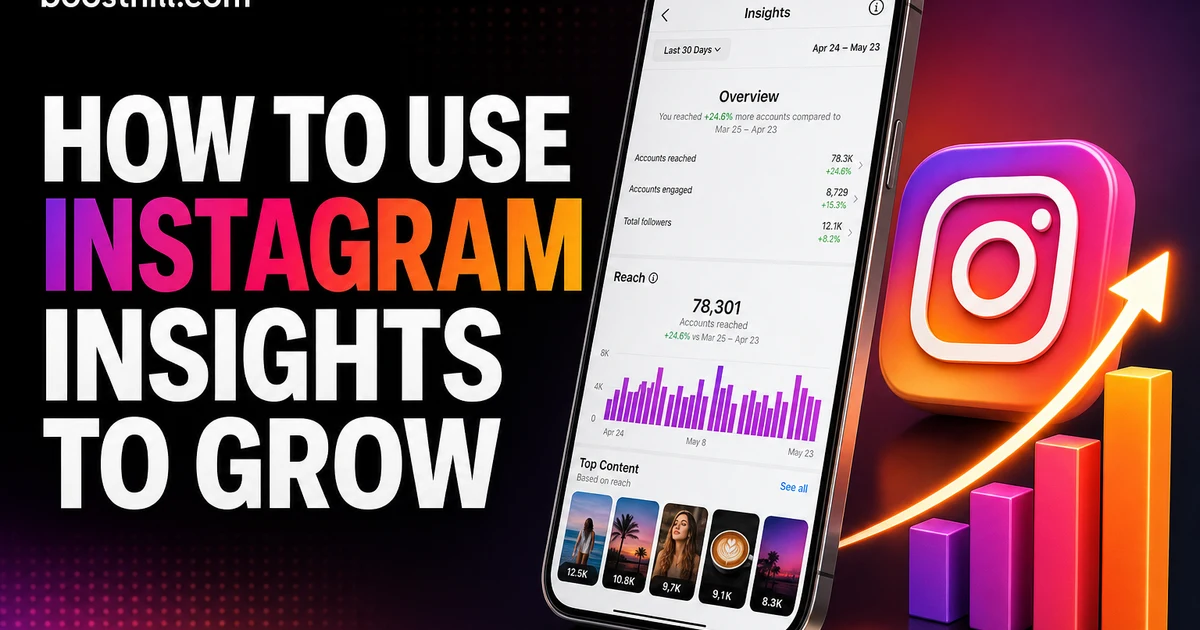
Instagram Insights measures saves on individual posts and Reels for professional accounts, allowing creators to compare bookmark activity with reach and other interactions. Open the content and select “View insights”; Instagram may adjust labels or menu placement as the app changes.

Record the publication date, format, topic, reach, saves, shares, and profile activity in a simple spreadsheet. Raw save totals can mislead. A post with 80 saves after reaching 20,000 accounts may be less efficient than one with 30 saves from 2,000 accounts, which is why save rate deserves a separate column.

Compare similar posts. A carousel sent to existing followers and a Reel distributed widely to non-followers have different exposure patterns. Compare tutorials with tutorials, product guides with product guides, and posts from similar stages of account growth.

Review results after enough time has passed for the post to circulate, then check again later. Saveable content can continue attracting engagement through profile visits, shares, Explore, or search. A same-day review may understate the value of evergreen material.

Look for patterns across at least several posts rather than copying one accidental winner. Topic often matters more than color, posting minute, or caption length. If three pricing breakdowns beat your other carousels on save rate, publish another pricing resource before redesigning your entire grid.

Instagram posting times affect initial exposure, but timing can't manufacture usefulness. Use your audience's active periods as a starting point. Then let topic-level save rate decide what deserves another version.

  • Save rate: Saves divided by accounts reached, multiplied by 100.
  • Follower response: Check whether the topic serves your established audience.
  • Non-follower response: Review whether discovery is bringing relevant new viewers.
  • Profile activity: Note whether a highly saved post also leads people to your profile or offer.
  • Repeatability: Favor themes that perform across several posts, not one isolated spike.

How can you build a repeatable Instagram save strategy?

A repeatable Instagram save strategy pairs one audience problem with a useful format, a clear publishing schedule, and a monthly review. Start small enough to maintain quality.

For the next four weeks, publish one save-focused carousel and one save-focused Reel each week. Give every post a distinct job. One might provide a checklist, while another demonstrates a task. Repeating the same format is fine; repeating shallow ideas isn't.

Use comments and direct messages to improve each follow-up. If people ask how much a tool costs, add pricing context next time. If viewers can't find a product shown in the Reel, include the exact model in the caption. Audience questions expose the missing details that prevent a post from becoming a true reference.

Instagram Collab posts can place one piece of content before the audiences of participating accounts after the invitation is accepted. Choose collaborators whose expertise improves the resource. A nutritionist and running coach could build a race-week preparation guide together. Pairing two unrelated accounts for reach alone usually produces weak audience fit.

Distribution helps strong content get tested, but it doesn't create value. If you use paid promotion or engagement support, insist on real, active-account engagement. Bot saves don't represent future customers, and artificial activity gives you bad information about what your audience wants. Genuine engagement is the only useful input for content decisions.

The honest caveat is that saveable content can be slower to produce. A sourced comparison or accurate tutorial needs more work than a generic quote graphic. Publish fewer posts if necessary. Four resources that remain useful for months are a better asset than twenty forgettable uploads.

Once a topic works, adapt it rather than reposting it unchanged. Turn a carousel into a demonstration Reel, update an old checklist after a platform change, or invite a specialist to add an expert perspective. That process supports broader efforts to grow on Instagram without chasing every short-lived trend.

For a deeper dive, read our guide on How to Get Verified on Instagram in 2026 (The Blue Check, Honestly Explained).

For a deeper dive, read our guide on How to Get Verified on Instagram in 2026 (The Blue Check, Honestly Explained).

For a deeper dive, read our guide on How to Get Verified on Instagram in 2026 (The Blue Check, Honestly Explained).

For a deeper dive, read our guide on How to Get Verified on Instagram in 2026 (The Blue Check, Honestly Explained).

  • Week 1: Publish a checklist carousel based on a frequent audience question.
  • Week 2: Demonstrate one item from that checklist in a Reel.
  • Week 3: Publish a comparison that helps users make a decision.
  • Week 4: Update the strongest concept using questions collected from comments.
  • Month-end review: Compare save rates by topic and format, then schedule two follow-ups to the strongest theme.
Get startedReal-account growth, instant start — never bots.
Get started

Frequently asked questions

QCan people see when you save their Instagram post?
Instagram doesn't tell a creator which specific account saved a post. A creator with access to Instagram Insights can see the total number of saves on eligible content. Saving is therefore private at the account level, even though the aggregate count helps the creator assess performance.
QDo Instagram saves help a post reach more people?
Instagram saves can contribute to the engagement signals surrounding a post, but a save doesn't guarantee extra reach. Instagram uses different ranking systems across Feed, Reels, Explore, and Stories. Treat saves as evidence of lasting audience value rather than a fixed shortcut to distribution.
QWhat type of Instagram content gets the most saves?
Instagram content earns saves when it remains useful after the first view. Checklists, templates, tutorials, recipes, reference charts, comparisons, and location guides are strong candidates. The best choice depends on the audience: a wedding planner's timeline and a mechanic's maintenance schedule solve different future problems.
QWhat is a good Instagram save rate?
A useful Instagram save-rate benchmark comes from your own comparable posts, because reach sources, topics, formats, and account sizes differ. Divide saves by accounts reached and multiply by 100. Compare several carousels or several Reels, then use your median performance as the baseline for future tests.
QShould you ask people to save an Instagram post?
You should ask for a save when the post has clear future utility. Connect the request to a specific moment, such as checking a packing list before a trip. Skip the save request on announcements or disposable entertainment unless viewers have a genuine reason to revisit the content.
QAre carousels or Reels better for Instagram saves?
Carousels are better for information that users need to scan, including lists and comparisons. Reels are better for movements, demonstrations, or spoken instruction. Choose the format according to the retrieval need; a chart belongs in a carousel, while a physical technique usually needs video.

Read next: How to Get Verified on Instagram in 2026 (The Blue Check, Honestly Explained). For more, browse our Instagram guides or all posts by Editorial Staff.

Written byEditorial StaffBoostHill editorial team

The BoostHill editorial team researches, writes, and fact-checks guides on growing an audience across every platform we support. Posts under this byline are a collaborative effort — reviewed for accuracy and kept practical, current, and free of hype.

More from Editorial