Buy TikTok Coins
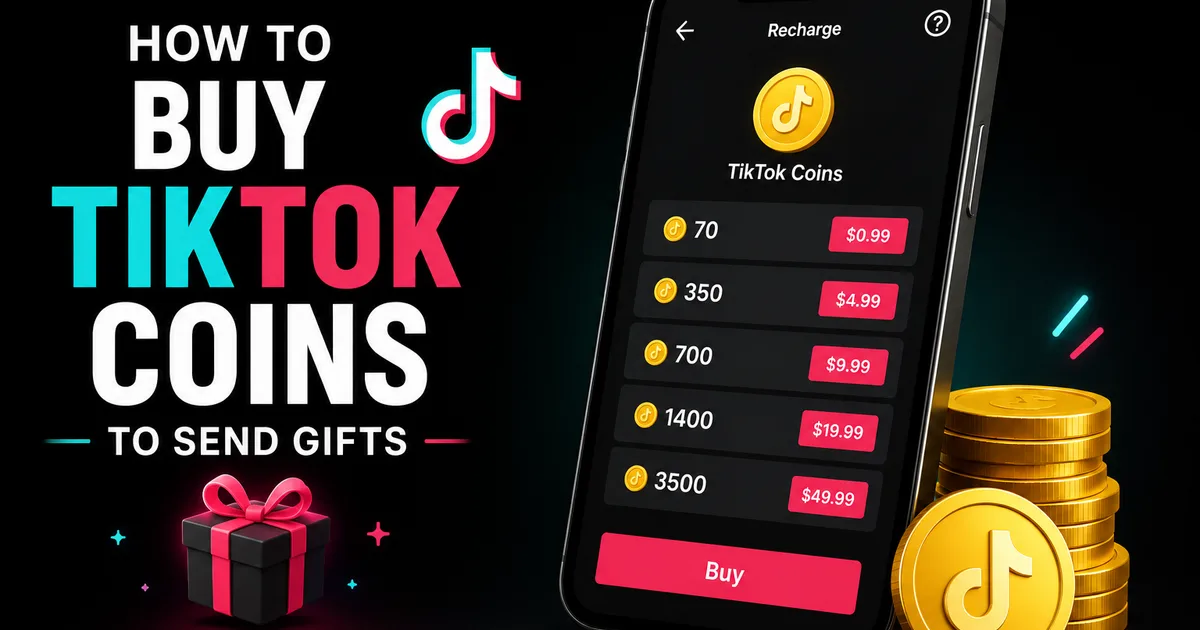
Buy TikTok Coins directly for your TikTok balance, with quantities from 5,000 to 1,000,000. Spend them on virtual gifts during live broadcasts or eligible videos.
- Coins Credited to Your Own Balance
- Cheaper Than the In-App Price
- Fast Manual Top-Up
TikTok Coins are the platform currency used to send virtual gifts. This service is for people who want to fund gifting rather than increase a public engagement metric.
Key takeaways
- Choose this service when you want to fund TikTok gifting rather than increase a public engagement metric.
- You decide how to spend the balance through TikTok’s eligible gifting features.
- Current package pricing is shown in the live order builder before payment.
- One-time and auto-renew ordering support occasional and repeat top-ups.
- BoostHill credits the ordered Coins to the account identified by your TikTok username or User ID.
What can you do with TikTok Coins?
TikTok Coins fund virtual gifts available through the platform’s gifting features. After they are credited, you choose where and when to use them.
Coins may be spent on virtual gifts during supported live broadcasts or eligible videos. You do not need to name a creator or provide a content link when ordering this service.
- Send virtual gifts during supported TikTok live broadcasts.
- Use Coins on eligible videos.
- Choose gift recipients after the balance has been credited.
Why Buy TikTok Coins through BoostHill?
BoostHill offers TikTok Coins for less than the in-app purchase price. The live total appears in the order builder, allowing you to compare it with the amount shown inside TikTok.
The coins are credited directly to your TikTok balance. That leaves you in control of the gift selection, recipient and timing after the order is complete.
It suits people who already use TikTok gifting and want a more economical way to fund their balance.
Which TikTok Coin order setup should you choose?
Base your order size on the gifts you realistically expect to send, not on a hoped-for reaction from a creator or audience.
The slider supports both modest and high-volume gifting plans. Use the checklist below to decide the amount and order frequency that fit your actual use.
How does TikTok Coin delivery work?
The order enters processing instantly once checkout approves the payment. Each top-up is handled manually, so completion time depends on processing conditions.
The instant start means work begins without a scheduled delay; it does not mean the full top-up appears at the exact moment you pay. Completion can take longer because the Coins must be added manually.
Keep the TikTok username or User ID you entered unchanged while the order is underway. If the expected balance does not appear after the order is marked complete, contact BoostHill support with the order details.
What information is needed for a safe top-up?
BoostHill needs only your TikTok username or User ID. Your TikTok password and private account access are not required.
Never provide an email password, two-factor authentication code, recovery information or other login credentials. Those details are unnecessary for this service.
Copy the identifier directly from the intended profile before confirming the order. An incorrect username or User ID can prevent the balance from reaching the intended account, and changing your username during processing may cause confusion.
Keeping your credentials private reduces account-access risk. It does not remove every possible platform risk, because TikTok can change its systems, policies and enforcement practices.
- Enter @yourusername or your TikTok User ID.
- Keep passwords and authentication codes private.
- Avoid changing the supplied username during processing.
What happens after you place an order?
Your BoostHill dashboard lets you review the order and follow its status. Open the relevant order detail page to see what is happening with your top-up.
After the order is marked complete, check your TikTok coin balance. If manual processing is still underway, wait for the status to update rather than placing an accidental duplicate order.
The dashboard also keeps current and previous orders together. Available invoices can be accessed there, and support can help if an order stalls or a completed top-up is missing from your TikTok balance.
- Review the current order status.
- Open the order detail page when you need more information.
- Check your TikTok balance after completion.
- Contact support with the order number if a completed top-up is missing from your TikTok balance.
How are Coins different from TikTok engagement services?
Coins provide a spendable balance, while engagement services increase a specific visible metric. They solve different needs and do not replace one another.
Use Coins when you want to select and send eligible gifts yourself. TikTok followers increase the visible follower count on a profile, while TikTok likes add visible likes to selected content.
TikTok views are intended for increasing the visible view count of selected videos. A coin order does not add followers, likes or views, and an engagement order does not give you a gift balance.
- Coins: balance for eligible virtual gifts.
- Followers: a higher visible profile follower count.
- Likes: additional visible likes on selected content.
- Views: a higher visible view count on selected videos.
What should you realistically expect?
You should expect the ordered number of coins to be credited to the TikTok account matching your username or User ID. The service does not promise a wider audience or a particular response from gift recipients.
Buying or spending Coins does not guarantee followers, likes, views, reach, sales, creator attention, monetization, verification or viral distribution. Results outside the top-up depend on other people and TikTok’s functionality.
BoostHill is an independent service and is not endorsed by, sponsored by or officially connected to TikTok. TikTok continues to control gifting eligibility, account rules, platform enforcement and how Coins can be used.
Choose this option if you want a personal gift balance that you can spend yourself.
- The purchased outcome is a TikTok coin top-up.
- You decide how to use the available balance.
- Gifts do not guarantee attention or organic growth.
Choosing the right option
TikTok Coin Order Options Summary
Compare the available quantity and order-frequency choices to configure the top-up that fits your needs.
| Decision | Your choices | Who it fits or what it means |
|---|---|---|
| Quantity | Slider from 5,000 to 1,000,000 coins | Select an amount that covers the balance you intend to use. |
| Order frequency | One-time or auto-renew | Use one-time for a single purchase; auto-renew suits an established need for repeat orders. |
| Country or region | No selection required | There is no country or regional option to configure. |
| Delivery approach | Instant processing start | Work begins when payment is confirmed. |
Why buy TikTok coins from BoostHill
Real engagement, delivered transparently, and your account never at risk.
Get TikTok coins in four steps
Buying TikTok coins: questions answered
QHow do you add the coins to my account?
QAre BoostHill TikTok Coins cheaper than the in-app option?
QWhat can I use TikTok Coins for?
QHow long does a TikTok Coin order take?
QWhere can I find the information needed for my order?
QCan I set up recurring TikTok Coin orders?
QHow can I pay for TikTok Coins?
Building a fuller presence? Many buyers pair TikTok coins with Buy TikTok Gifts or Buy TikTok Followers, or browse every option on our TikTok growth hub.
TikTok guides & tips
How-tos and growth tactics to get more from your TikTok alongside your order.
Add Coins to Your TikTok Balance
Select the coin quantity you need and check the live pricing before checkout.