TikTok Coins are the in-app currency you buy with real money and then use to send virtual gifts to creators, mostly during LIVE streams. If you have ever wanted to support a creator you enjoy or stand out in a busy live chat, Coins are how that works. They are usually bought through TikTok itself, though a trusted top-up service can also add them to your balance for less than the in-app price.
This guide walks through buying Coins the safe way inside the app, sending gifts with them, and a few tips that can stretch your money. Coin prices and bundle sizes can change and vary by region, so the amounts here are approximate, always confirm the current pricing on the purchase screen.
Prefer to skip the app-store markup? You can also buy TikTok Coins from BoostHill and we top them up to your own balance. We only ever need your public username or User ID, never your password.
What TikTok Coins are (and what they are not)
Coins are a prepaid balance tied to your TikTok account. You convert money into Coins, then spend Coins on virtual gifts that appear in a creator's live stream or, where available, on their videos. Creators can later convert the gifts they receive into Diamonds and, eventually, withdraw a cash value, subject to TikTok's rules and fees.
It is worth being clear about what Coins are not. They do not buy followers, views, or any kind of reach, and sending gifts does not boost your own account. Coins are purely for supporting and interacting with creators. Buy only what you intend to spend, since balances are generally non-refundable once purchased.
Coins vs growing your account: which one do you actually need?
It is worth a quick gut-check before you spend, because many people who search for Coins actually want reach. Coins only power gifts, so they do nothing for your own growth. If the goal is a bigger, more active profile, the levers are engagement and social proof, not Coins. Genuine, active TikTok followers make a profile look established the moment someone lands on it, TikTok likes signal that a clip is worth watching, and TikTok views give a video the early momentum the For You feed rewards.
That is what BoostHill is built for: real-account TikTok growth with no password required, instant or drip-feed delivery, and a refill guarantee. So buy Coins when you want to send gifts, and use real growth services when you want the account itself to climb.
How to buy TikTok Coins, step by step
The safest place to buy Coins is inside the official TikTok app, using the payment method linked to your app store or TikTok account. Buying through the app keeps the transaction within TikTok's own system and avoids the scams common to third-party "cheap coin" sites, which can compromise your account or simply take your money.
The exact menu labels shift between app versions and regions, but the flow is consistent. Here is the general path.
- Open TikTok and go to your Profile, then the menu (three lines)
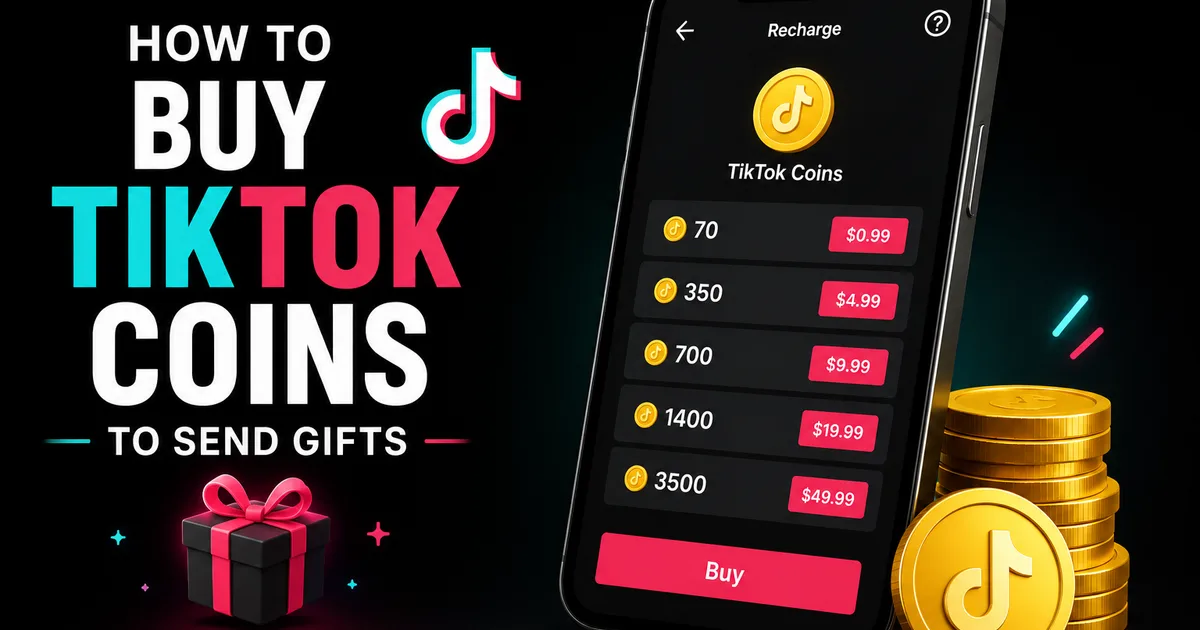
- Find "Balance" or "Wallet" in Settings, then tap "Recharge" or "Get Coins"
- Choose a Coin bundle. Larger bundles usually cost slightly less per Coin
- Confirm the purchase through your linked app store or payment method
- Your Coin balance updates in your wallet, ready to spend on gifts
How much do TikTok Coins cost?
TikTok Coins are sold in bundles, and the price works out to roughly 1 to 1.5 US cents per Coin, though the exact rate shifts with your region, your currency, and where you buy. As a rough guide, a small bundle of a few hundred Coins runs a couple of dollars, and the larger bundles bring the price per Coin down a little.
The bigger factor is where you buy. Buying inside the iOS or Android app usually costs more, because the app stores add their own cut on top of TikTok's price. Topping up through TikTok's website, or through a trusted service like BoostHill, skips that app-store markup, which is why the same number of Coins can come out cheaper. Whichever route you choose, only buy what you plan to spend, because Coin balances are generally non-refundable once purchased.
How to send gifts with your Coins
Once you have a balance, sending a gift is quick. Join a creator's LIVE stream, tap the gift icon in the bottom toolbar, and pick a gift. Each one shows its Coin cost. Tap to send, and your gift animates in the stream for the creator and other viewers to see. Higher-value gifts create bigger on-screen effects, which is part of why they are popular for showing support.
Some gifting is also available on regular videos in certain regions and for eligible creators, though LIVE is where most gifting happens. If you do not see a gift option, the creator may not have it enabled or it may not be available in your area.
Tips to save money and stay safe
A few habits make Coins go further and keep your account secure. Comparing the per-Coin cost across bundles can save you money over time, since bigger bundles are usually a little cheaper per Coin. Buying on the web version of TikTok, where available, sometimes avoids app-store surcharges, though this varies by region.
Most importantly, never buy Coins from outside TikTok. "Discount coin" websites and sellers are a common source of scams, and entering your login anywhere but the official app puts your account at risk. Set a budget before you start, and remember that gifting is a way to support creators, not an investment.
- Compare per-Coin cost across bundles before buying
- Check the web version for possibly lower prices where available
- Only buy through official TikTok: never third-party coin sellers
- Set a spending budget; purchases are generally non-refundable
- Never share your password to "top up" Coins anywhere
Coins are for gifting, not for growth
Because people often confuse in-app currency with growth tools, it is worth restating plainly: Coins and gifts support creators, but they do nothing for your own follower count, views, or reach. If your goal is to build your own profile rather than support someone else's, gifting is not the route.
Growing your own account comes from consistent content and, if you want a head start on social proof, real-account engagement. BoostHill delivers TikTok followers from real, active accounts using only your public username, no password, with a refill guarantee. It is a separate thing from Coins entirely, aimed at your profile's credibility rather than gifting others.
Frequently asked questions
Read next: How to Get More Views on TikTok in 2026. For more, browse our TikTok guides or all posts by Jessica Adler.