Learning how to make a public profile on Snapchat takes a few minutes, but the profile needs more than a display photo before it can support creator growth. A Public Profile lets people subscribe without becoming mutual friends. It can also display public Stories, Spotlight posts, saved content, a bio, and audience information.
The setup button isn’t available on every account immediately. Snapchat considers factors such as age, region, account history, and compliance with its Community Guidelines. Some creator and analytics features also vary by account, so two users may see slightly different menus.
Once the profile exists, your real work starts. A blank profile gives a new visitor no reason to subscribe. This guide covers the creation steps, profile design, publishing plan, Insights, safety settings, and common reasons the option may be missing.
What is a Snapchat Public Profile, and who can create one?
A Snapchat Public Profile is a subscriber-facing page where a creator or business can publish content for people outside their friends list. Subscribers follow your public output in one direction. Friends, by comparison, have accepted each other and may communicate through features allowed by their privacy settings.
Snapchat makes Public Profiles available to eligible users aged 16 or older, although regional availability and individual features can differ. Accounts generally need to be more than 24 hours old and remain in good standing. Snapchat may apply extra protections or feature limits to profiles belonging to users aged 16 or 17.
Account eligibility isn’t the same as creator readiness. If your username, niche, and content plan are still undecided, wait a day before promoting the profile. Snapchat usernames can be changed only once per year, while display names are easier to adjust. A rushed username can follow a creator through months of cross-platform promotion.
A Public Profile also changes the size of your potential audience. Public Stories can reach subscribers and other Snapchat users through discovery surfaces, depending on Snapchat’s distribution choices. Spotlight gives individual vertical videos a chance to reach viewers who don’t follow you. Neither feature guarantees distribution.
The public-versus-private trade-off is straightforward: a Public Profile improves discovery, but it exposes more of your content to strangers. Keep personal Snaps, recognizable home locations, school details, and real-time travel information away from public posts. Creators under 18 should review Snapchat’s privacy and contact controls with particular care.
- Age: Public Profile access generally starts at age 16, with added protections for younger users.
- Account history: A brand-new account may need to remain active for at least 24 hours before the option appears.
- Account standing: Community Guidelines violations can restrict public features or distribution.
- Region: Snapchat features do not always launch in every country at the same time.
- App version: An outdated Snapchat app may show older labels or omit current profile tools.
How to make a public profile on Snapchat step by step
You can make a public profile on Snapchat by opening your main profile page and selecting the Public Profile creation option. The wording and placement can shift after app updates, but the process starts from your Bitmoji or profile icon rather than the camera screen.
Open Snapchat and sign in to the account you plan to use publicly. Tap your Bitmoji or profile icon in the upper-left corner. Scroll until you see a section labeled Public Profile, Public Profiles, or a similar creator option. Select Create Public Profile and follow the on-screen explanation.
Snapchat may explain that your name can appear on public content and that people can subscribe to you. Read that screen. Don’t treat it as another permission box to dismiss, especially if the account previously held only personal friends.
Tap the final creation button when you’re comfortable with the terms. Snapchat should then add My Public Profile to your main profile page. Open it and select Edit Profile to begin adding public-facing information.
The whole creation process is short. Profile preparation takes longer because every visible element should answer one of two visitor questions: who is this creator, and what will I receive if I subscribe?
- Update Snapchat: Install the latest app version from the Apple App Store or Google Play Store.
- Open your profile: Tap the Bitmoji or profile icon in the upper-left corner.
- Find Public Profile: Scroll down and select Create Public Profile.
- Review the notice: Check what Snapchat says will become publicly visible.
- Confirm creation: Complete the prompt, then open My Public Profile.
- Edit the page: Add a profile image, cover image, bio, location if appropriate, and public content.
How should you set up a Snapchat Public Profile?
A Snapchat Public Profile should identify your topic within seconds and show at least one useful piece of public content. Start with recognition. Use the same creator name and visual identity that appear on TikTok, Instagram, YouTube, or Twitch unless another account already owns the name.
Choose a profile photo that remains readable at a small size. A close headshot works better than a full-body photograph. A business should use a simple logo without tiny lettering. Place broader branding, a product shot, or a clear content cue in the cover image.
Your bio has limited room, so write a specific promise rather than a string of labels. “Daily budget meals from a restaurant cook” tells people what they’ll see and who makes it. “Creator | Food | Lifestyle | Fun” says almost nothing. Add a location only when geography shapes the content, such as Manchester restaurant reviews or Toronto event coverage.
Next, publish before you promote. Save a short introductory Story to the profile and add several representative posts. A visitor arriving from your Instagram bio should see enough material to judge the account. One empty cover image paired with a subscription request feels unfinished.
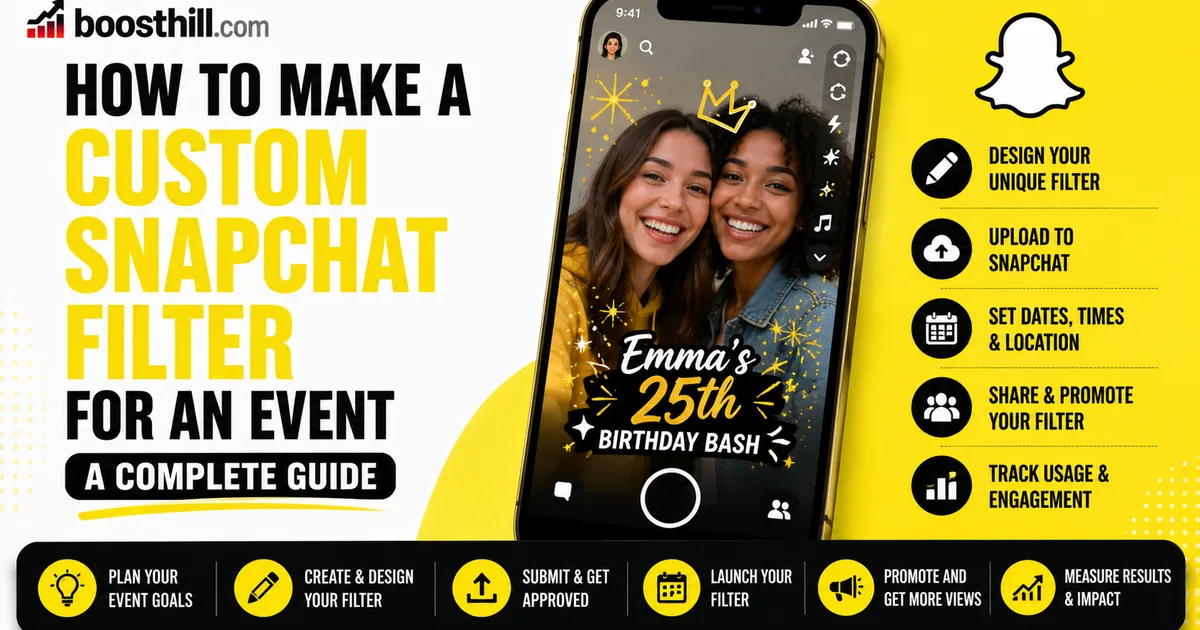
Organize saved Stories by recurring subject where Snapchat provides that option. A fitness coach might separate home workouts, form checks, and meal preparation. An event business could save venue tours and setup footage, then use a custom Snapchat filter for guests at a specific event.
Subscriber count visibility deserves a deliberate choice. A large visible count can provide social proof. A small count can distract from strong content, so hiding it during the first growth stage is reasonable. Don’t hide the count forever out of embarrassment; revisit the setting after you establish regular publishing.
- Profile photo: Use a face or uncluttered logo that remains recognizable in a small circle.
- Cover image: Show the subject, product, or visual style people will encounter in your Snaps.
- Display name: Match the name used on your other active channels.
- Bio: State the topic and expected posting pattern in plain language.
- Saved content: Give first-time visitors a quick introduction and two or three strong examples.
- Location: Include a broad city or region only if it helps the audience understand the content.
How do you grow a Snapchat Public Profile with Stories and Spotlight?
Snapchat creator growth comes from using Public Stories for returning viewers and Spotlight for discovery. The formats serve different jobs. Public Stories build an ongoing sequence across the day, while Spotlight favors individual vertical videos that can make sense without previous context.
Start with a repeatable content promise. A 400-subscriber local baker might post the morning bake, a decorating close-up, the finished counter, and a stock update. That sequence feels native to Stories because each Snap advances the same small narrative. Posting four disconnected promotions would give viewers little reason to finish.
The opening Snap matters most. Show the result, problem, or unusual detail immediately. A repair creator should open with the damaged item or finished fix rather than a long greeting. Add short on-screen text because viewers may watch without sound. Keep text away from interface elements near the top and bottom of the screen.
Spotlight needs a complete idea. Recutting a TikTok can work if the clip has no competing watermark and still fits Snapchat’s audience. Native editing is preferable when captions, music, or timing depend on platform tools. Never repost another creator’s work without permission.
Use replies as research. If several subscribers ask how much a product costs, make the next Story answer that question. If viewers leave before the explanation, shorten the setup. Genuine responses provide better direction than inflated activity from fake accounts. BoostHill only supports real, active-account engagement because bots can’t become customers, collaborators, or durable viewers.
Cross-promotion works best when you give people a Snapchat-specific reason to move. “Follow me everywhere” is weak. “I post the full studio setup on Snapchat after each stream” creates a clear benefit. Creators building short-form reach can also apply lessons from growing Instagram honestly or earning more TikTok views, but direct copies often miss Snapchat’s conversational style.
Consistency matters, yet daily volume shouldn’t flatten quality. I’d rather publish one coherent Story sequence four days a week than force 20 filler Snaps every morning. Snapchat hasn’t published a universal posting number that guarantees growth. Your completion patterns and replies should determine the schedule.
- Choose three recurring formats: Examples include behind-the-scenes clips, quick lessons, and weekly audience questions.
- Build a Story sequence: Open with the strongest visual, develop one idea, then give viewers a clear payoff.
- Create standalone Spotlight posts: Each video should make sense to someone who has never seen your profile.
- Invite a specific response: Ask viewers to choose between two products or send one focused question.
- Promote with a reason: Tell followers on another platform what Snapchat content they cannot get there.
- Review performance weekly: Keep formats that hold attention or prompt replies, then drop habitual filler.
Which Snapchat Insights should creators track?
Snapchat creators should track subscribers, unique viewers, viewing time, completion behavior, and audience responses where those metrics appear. Snapchat changes available Insights by content type, account, and audience size, so use the labels shown inside your own Public Profile rather than relying on an old screenshot from another creator.
Subscriber growth tells you whether viewers want more content. Compare growth with what you published that day. A sudden gain after a Spotlight tutorial is more useful than the total alone because it identifies a format worth repeating.
Story views need context. Check how many people reach later Snaps in a sequence. A sharp decline after the first post can mean the opening promise was weak, the sequence ran too long, or the second Snap changed topics. Screenshots and replies can signal stronger interest, especially for recipes, product details, checklists, or event information.
Spotlight views measure distribution, not loyalty. A clip can receive broad exposure while producing few subscribers. Compare each post’s reach with profile visits, favorites, shares, and subscriber movement where Snapchat supplies those figures. The best discovery post attracts the right person and gives that person a reason to open your page.
Run simple tests instead of changing everything at once. For two weeks, keep the topic and posting window similar while testing shorter Story sequences. During the next cycle, test opening visuals. This approach won’t remove normal distribution swings, but it makes the results easier to interpret.
Avoid obsessing over one weak day. Snapchat recommendations can vary between posts, and a small account produces noisy percentages. Review several comparable posts before cutting a format. Creator growth is usually a chain of small editorial decisions, not one viral event.
- Subscriber change: Connect gains and losses to the content published during the same period.
- Unique viewers: Use this figure to distinguish audience reach from repeat viewing.
- Viewing time: Compare similar Story sequences rather than unrelated formats.
- Sequence retention: Identify the exact Snap where viewers commonly stop.
- Replies and screenshots: Treat intentional actions as topic signals, not vanity totals.
- Spotlight conversion: Compare broad video reach with profile activity and new subscribers.
What should you do if Create Public Profile is missing?
A missing Create Public Profile option usually points to age eligibility, regional availability, account age, app version, or an account restriction. First, update Snapchat and restart the app. Then confirm that the birthday on the account is accurate; don’t enter a false age to bypass Snapchat’s protections.
Wait if the account was created within the past 24 hours. Use Snapchat normally, add people you genuinely know, and verify your email address and phone number where prompted. Older guidance sometimes mentions having at least one mutual friend as an eligibility check, so a completely isolated account may need normal account activity before public tools appear.
Review recent warnings or removed content. A profile with Community Guidelines or Terms of Service problems may lose access to public distribution. Creating a replacement account to evade enforcement can cause more trouble. Use Snapchat Support if the account appears eligible and the option remains absent after an update.
Some users see My Public Profile even though they don’t remember creating it. Open that page before searching for the creation button. Snapchat may have already enabled the profile during an earlier setup flow.
Once the page works, review contact and Story settings separately. Public content does not require open direct messages from everyone. Limit who can contact you, view your location, or access personal Stories. Ghost Mode in Snap Map is the safer default for creators who don’t need location sharing.
Deleting a Public Profile is a serious reset, not a cosmetic edit. Snapchat may remove the profile’s public content and related profile features while leaving the main account intact. Read the deletion screen carefully and save original media elsewhere before confirming.
If you want to grow faster, you can snapchat views from real accounts from a real, active-account service and build momentum while you keep posting. For a deeper dive, read our guide on Where to Find Your Twitch Stream Key (and Keep It Safe) in 2026.
- Update the app: Old versions may lack the current Public Profile menu.
- Check the birthday: Eligible users generally need to be at least 16.
- Give the account time: Wait at least 24 hours after creating a new account.
- Review account standing: Resolve warnings through Snapchat’s official support process.
- Check regional access: Some features arrive at different times across countries.
- Protect personal access: Keep public publishing separate from location and contact permissions.
Frequently asked questions
Read next: How to Make a Custom Snapchat Filter for an Event. For more, browse our Snapchat guides or all posts by Editorial Staff.