A custom Snapchat filter is one of the simplest ways to make an event feel special and shareable. When guests open Snapchat at your wedding, party, conference, or store opening, a filter unique to the occasion appears over their snaps, turning every attendee into someone who spreads the moment to their own followers. It is part keepsake, part word-of-mouth marketing, and it is approachable enough for individuals and small businesses alike.
This guide walks through how to make a custom Snapchat filter for an event in 2026, from designing the artwork to submitting it, setting a geofence and time window, and getting it approved. Snapchat's tools and pricing can change, so we focus on the durable steps and point you to Snapchat's official tools for the current specifics.
Understand How Event Filters Work
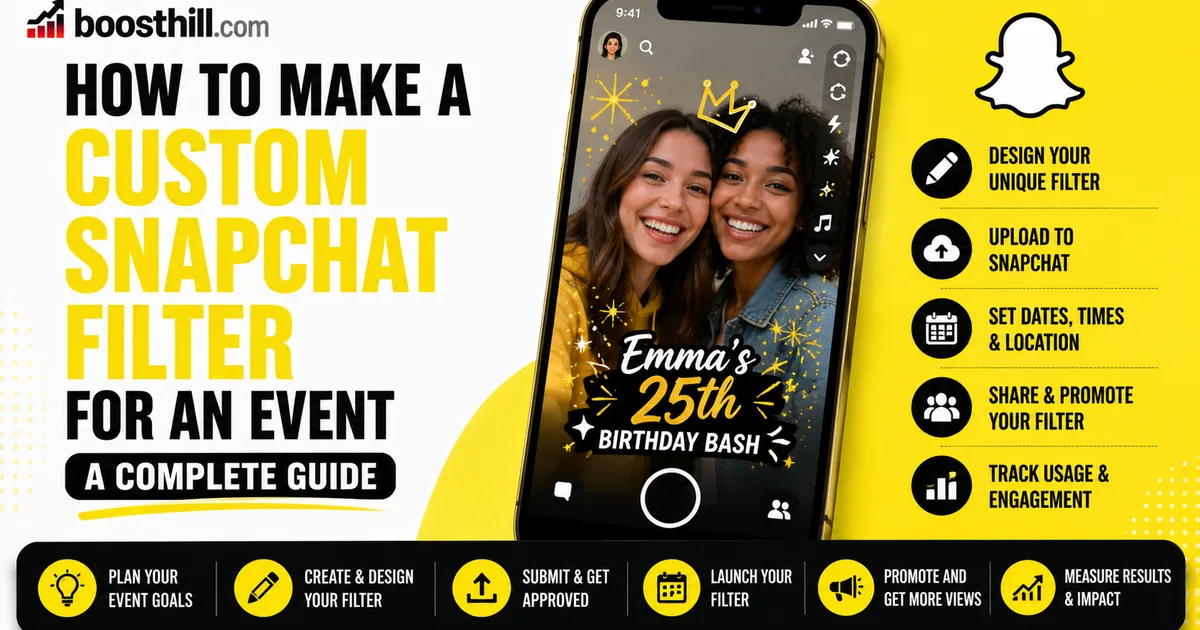
Snapchat lets people create on-demand geofilters: custom overlays that are available within a specific area for a set period of time. For an event, you design the overlay, draw a geofence around the venue on a map, and choose the start and end times. While active, guests inside that area can swipe to add your filter to their snaps.
Pricing generally depends on the size of the geofence and the length of time the filter runs, and Snapchat sets and updates these details, so check its official tools for current costs and rules. There are typically separate paths for personal events and for business or branded filters, which can carry different requirements.
- An event filter is a custom overlay tied to a place and time
- You draw a geofence around the venue on a map
- You set the active start and end times
- Cost usually scales with area size and duration
Design Artwork That Meets the Guidelines
A good event filter is clear, on-theme, and unobtrusive. Keep important elements toward the top or bottom edges so the filter frames the snap without covering faces, and use a transparent background so the photo or video shows through. Names, dates, a logo, or an event hashtag are common, effective touches.
Snapchat publishes specific design and content guidelines: file format, transparency, size, and rules against things like phone numbers, URLs, or hate symbols. Following them closely is the difference between a fast approval and a rejection. You can design in any tool you like or start from a Snapchat template, then export to the required format.
- Use a transparent PNG so the snap shows through
- Keep art near the edges, away from faces
- Add the event name, date, logo, or hashtag
- Follow Snapchat's size, format, and content rules
- Avoid prohibited content like URLs or phone numbers
Submit, Geofence, and Schedule
Once your artwork is ready, upload it through Snapchat's official filter creation tools. You will place your geofence by drawing the boundary around your venue on a map; keep it tight enough to cover the event without wasting coverage on empty space, since the area affects both relevance and cost.
Next, set your active window. Give yourself a buffer before and after the core event so early arrivals and stragglers can still use the filter, and double-check the time zone. Then submit for review and pay any applicable fee. Snapchat handles the approval, so build in lead time rather than submitting at the last minute.
Get Approved and Make the Most of It on the Day
Snapchat reviews submitted filters against its guidelines, which is why submitting a few days early is wise. It leaves room to fix any issue and resubmit before your event. A clean design that follows the rules is the surest way to a smooth approval.
On the day, remind guests the filter exists. A small sign at the entrance, a note on the invitation, or a quick announcement nudges people to swipe and share. Encouraging an event hashtag alongside the filter helps you find and collect the snaps afterward.
- Submit several days early to allow for review
- Fix and resubmit quickly if it is rejected
- Tell guests the filter is available
- Pair the filter with an event hashtag
For Brands: Pairing a Filter With Your Presence
For a business, an event filter is also a branding moment, since every guest who uses it shares your name with their own audience. To make the most of that, it helps if the Snapchat profile or brand behind the filter looks established when curious guests go looking for you.
If you want to strengthen that first impression, BoostHill delivers Snapchat followers from real, active accounts using only your public profile, with no password required and a refill guarantee. It is independent of Snapchat and cannot guarantee filter usage or engagement. Treat it as a social-proof complement to a well-designed filter and an active presence, not a replacement for either.
Frequently asked questions
Read next: How to See Who Screenshotted Your Snapchat Story. For more, browse our Snapchat guides or all posts by Lyra Wilson.