You pour hours into creating compelling YouTube content: scripting, shooting, editing, perfecting. But once it's uploaded, how do you ensure it reaches the eyes of the people who'll love it most? This is where YouTube SEO comes in. It's not just a buzzword; it's the strategic process of optimizing your videos and channel to rank higher in YouTube's search results and appear more often in its recommendations.
Think of YouTube as the world's second-largest search engine, right after Google (which owns YouTube, by the way). Millions of hours of video are uploaded every day. Without a solid optimization strategy, even the most brilliant content can get lost in the noise. This guide will walk you through the practical steps to make your videos discoverable, attract a relevant audience, and foster genuine engagement.
At BoostHill, we believe in real, active-account engagement because that's what truly moves the needle for creators. YouTube's algorithm prioritizes genuine viewer behavior—watch time, engagement, and audience retention. Effective YouTube SEO isn't about gaming the system; it's about clearly communicating to YouTube's algorithm (and your potential viewers) what your video is about, so it can be shown to the right audience. This leads to authentic views, loyal subscribers, and sustainable channel growth.
Understanding the YouTube Algorithm: Your Discovery Engine
Before diving into specific optimization tactics, it’s crucial to understand how YouTube's algorithm works. Unlike a static search engine, YouTube's primary goal is to keep viewers watching on its platform for as long as possible. It does this by recommending videos that are highly relevant to a viewer's interests and viewing history, and that viewers are likely to engage with. The algorithm considers hundreds of signals, but a few key metrics stand out:
These metrics tell YouTube that your content is valuable and engaging. Your goal with YouTube SEO is to signal to the algorithm that your video is exactly what a viewer is looking for, encouraging them to click and then stay engaged.
- Click-Through Rate (CTR): How often viewers click on your video thumbnail after seeing it in search results, recommendations, or their homepage. A high CTR indicates your title and thumbnail are compelling.
- Watch Time (Audience Retention): The total amount of time viewers spend watching your video, and what percentage of your video they complete. This is arguably the most important metric. If people watch your entire video, YouTube sees it as high quality.
- Engagement Signals: Likes, dislikes, comments, shares, and even adding videos to a 'Watch Later' playlist. These show active viewer participation.
- Upload Frequency and Consistency: While not a direct ranking factor for individual videos, consistent uploading can signal to YouTube that you're an active creator, potentially boosting overall channel visibility.
- Session Time: How long a viewer stays on YouTube *after* watching your video, especially if they watch more of your content.
Keyword Research for YouTube: Finding What Viewers Search For
Just like with Google, keyword research is the foundation of effective YouTube SEO. You need to identify the terms and phrases your target audience uses to find content like yours. Don't just guess; use data-driven approaches:
Once you have a list of potential keywords, look for a balance: some high-volume, competitive terms, and plenty of long-tail keywords. Long-tail keywords (e.g., "how to make sourdough bread from scratch for beginners") might have lower search volume but often indicate stronger viewer intent and face less competition, making it easier to rank.
Remember that keyword research for YouTube isn't just about what people *type*; it's also about what they *say*. Think about how people verbally ask questions to voice assistants or YouTube's own voice search feature. This can influence the natural language you use in your titles and descriptions.
- YouTube Search Bar Autocomplete: Start typing a topic into YouTube's search bar and see what suggestions pop up. These are popular real-time searches.
- "People Also Ask" & Related Searches: After searching for a keyword, scroll down to see related searches and questions. These are excellent semantic keywords.
- Competitor Analysis: Look at the titles, descriptions, and tags of popular videos in your niche. What keywords are they targeting? Tools like TubeBuddy or VidIQ can help with this, showing you estimated search volume and competition.
- Google Trends: Compare the popularity of different keywords over time and see regional interest. You can even filter by "YouTube Search" to get platform-specific data.
- YouTube Analytics: Your own channel's "Traffic Source: YouTube search" report will show you exactly what terms viewers used to find your videos. This is gold for future content planning and optimization.
Optimizing Your Video Titles: Your First Impression
Your video title is arguably the most critical element for both the YouTube algorithm and potential viewers. It needs to be informative, keyword-rich, and compelling enough to earn a click. Here’s how to craft effective titles:
A well-optimized title doesn't just attract clicks; it also helps YouTube understand your video's content, which is crucial for its discovery engine.
- Include Your Primary Keyword (Early): Place your main keyword as close to the beginning of the title as possible. This instantly tells both viewers and YouTube what the video is about.
- Be Clear and Descriptive: Avoid clickbait that doesn't deliver. Your title should accurately reflect the video's content. Misleading titles lead to high bounce rates and poor audience retention, which hurts your ranking.
- Inject Curiosity or Benefit: Beyond keywords, titles should promise value. Use numbers ("5 Ways to..."), questions ("Why is X Happening?"), or strong verbs to entice viewers.
- Keep it Concise (But Complete): YouTube typically shows about 60-70 characters of a title in search results. Aim to get your core message across within this limit, but don't sacrifice clarity for brevity. Longer titles can still be effective if they're well-structured.
- Use Brackets or Parentheses: Adding text in brackets (e.g., "[Beginner's Guide]") can increase CTR by providing extra context or emphasizing a key feature.
- Consider the "Power Word" Effect: Words like "Ultimate," "Easy," "Best," "Complete," "New," "Tested" can sometimes boost clickability if used genuinely.
Crafting Compelling Descriptions: Context and Conversion
The video description is your opportunity to provide more context to YouTube and viewers about your content. It's often overlooked, but a well-written description is a powerful YouTube SEO tool. YouTube's algorithm scans the first few lines of your description heavily, so make them count.
Remember, your description isn't just for SEO; it's a helpful resource for your audience. Provide value, and the algorithm will reward you with increased visibility.
- Front-Load Keywords: Repeat your primary keyword and relevant secondary keywords naturally within the first 2-3 sentences. Don't stuff them, but ensure they are present.
- Summarize Your Video: Briefly explain what the video covers, the problems it solves, or the value it provides. Think of it as a mini-blog post for your video.
- Include Timestamps: For longer videos, add timestamps that link to specific sections. This improves viewer experience, encouraging longer watch times, and helps YouTube understand the different topics within your video.
- Add Calls to Action (CTAs): Encourage viewers to subscribe, like, comment, or check out related videos. Link to your social media, website, or other relevant resources.
- Link to Related Content: Promote other videos on your channel that are relevant. This keeps viewers on your channel longer, signaling positive engagement to YouTube.
- Mention Other Creators/Collaborators: If you've collaborated with someone (and you should consider YouTube collaborations to expand your reach), make sure to mention and link to their channel. This can be a great way to tap into new audiences.
- Include Relevant Hashtags: YouTube supports hashtags. Use 3-5 relevant hashtags that categorize your video and help with discovery, but don't overdo it. They appear above your title and in the description.
Strategic Tagging: Enhancing Discoverability
Tags are single words or short phrases that help YouTube understand the topics and categories of your video. While less impactful than titles and descriptions, they still play a role in discoverability, especially for niche topics or when helping YouTube connect your video to similar content. Here’s how to use them effectively:
Use a mix of broad and specific tags. Think about how a user might search for your video, or what other videos they might be watching that are similar to yours. Don't use irrelevant tags simply for views; this can actually hurt your video's standing with the algorithm and deter genuine viewers.
- Primary Keyword Tag: Your main keyword should always be one of your tags.
- Long-Tail Keywords: Use longer, more specific phrases as tags. For example, if your video is "How to Make Coffee at Home," tags could include "homemade coffee recipe," "best coffee beans for home," "coffee brewing guide."
- Broad Category Tags: Include general tags that define your niche or category (e.g., "cooking," "gaming," "vlog").
- Competitor/Related Channel Tags: While debated, some creators use the names of popular channels in their niche as tags to appear in their "suggested videos." Use this sparingly and ethically, ensuring your content is genuinely related.
- Misspellings/Variations: Consider common misspellings of your primary keyword, but use this judiciously.
- Don't Overstuff: While YouTube allows many tags, focus on quality over quantity. Around 10-15 highly relevant tags are usually sufficient. Too many irrelevant tags can confuse the algorithm.
- Use Tools: VidIQ and TubeBuddy offer tag suggestions based on your keywords and competitor videos, which can be a huge time-saver.
Designing Engaging Thumbnails: The Ultimate Click Magnet
Your video thumbnail is your advertisement. It's the visual hook that, alongside your title, determines whether someone clicks on your video or scrolls past. A great thumbnail can dramatically increase your CTR, even if your video ranks lower in search results. It's so important that YouTube now pays Shorts creators based on watch-through, not just views, emphasizing the need for compelling visual hooks like thumbnails for all video types.
Spend as much time on your thumbnail as you do on your title. It's your visual handshake with a potential viewer.
- High Resolution: Always use a high-quality image (1280x720 pixels, minimum width of 640 pixels). Blurry thumbnails look unprofessional.
- Clear and Focused Image: Feature a clear, compelling image that relates to your video's content. A close-up of a person's face expressing emotion often performs well.
- Readable Text: If you use text, make it large, bold, and easy to read even on a small screen (like a phone). Use contrasting colors.
- Consistent Branding: While each thumbnail should be unique, try to maintain a consistent style, font, and color palette across your channel. This helps build brand recognition, especially helpful when you're just starting a YouTube channel.
- Convey Emotion/Curiosity: A thumbnail that sparks curiosity or clearly shows the benefit of watching (e.g., a "before and after" shot) performs better.
- Avoid Clutter: Less is often more. Don't overload your thumbnail with too many elements. Keep it clean and impactful.
- Test and Analyze: Look at your YouTube Analytics to see which thumbnails have the highest CTR. Don't be afraid to experiment and update thumbnails on older videos that aren't performing well.
Leveraging End Screens and Cards: Keeping Viewers Engaged
Once a viewer is watching your video, you want to keep them on your channel. End screens and cards are powerful, built-in YouTube tools designed to do just that. They are crucial for increasing session time and guiding viewers to more of your content, which the algorithm loves.
These features are excellent for turning a one-time viewer into a loyal subscriber and boosting your overall channel engagement metrics. Don't let your viewers simply close out of YouTube after your video ends; guide them to their next watch.
- End Screens: These appear in the last 5-20 seconds of your video. You can use them to promote other videos or playlists, encourage subscriptions, link to your website, or even promote a different channel. Always include a "Subscribe" element.
- Cards: These are small, interactive pop-ups that appear during your video. You can use them to link to other videos, playlists, your channel, a poll, or an external website (if you're part of the YouTube Partner Program). Strategically place them when you mention a related topic or at natural breaks.
- Strategic Placement: Don't just slap them on randomly. Think about when a viewer might be most interested in a related video or subscribing. For cards, ensure they don't disrupt the viewing experience.
Beyond the Upload: Promotion and Analytics
YouTube SEO isn't a one-and-done task. It's an ongoing process that extends to how you promote your content and how you learn from its performance.
Promote Beyond YouTube: Share your videos on other social media platforms (X, Facebook, Instagram, TikTok), embed them in blog posts, and include them in your email newsletters. External traffic signals to YouTube that your content is valuable and relevant beyond its platform. Just as you might compare YouTube vs. other platforms like Rumble, think about how you can leverage each platform's strengths to drive traffic back to your YouTube channel.
Engage with Your Audience: Respond to comments, ask questions, and foster a community. High engagement (likes, comments, shares) is a strong signal to YouTube that your content resonates with viewers. Genuine interactions build loyalty and encourage repeat viewing.
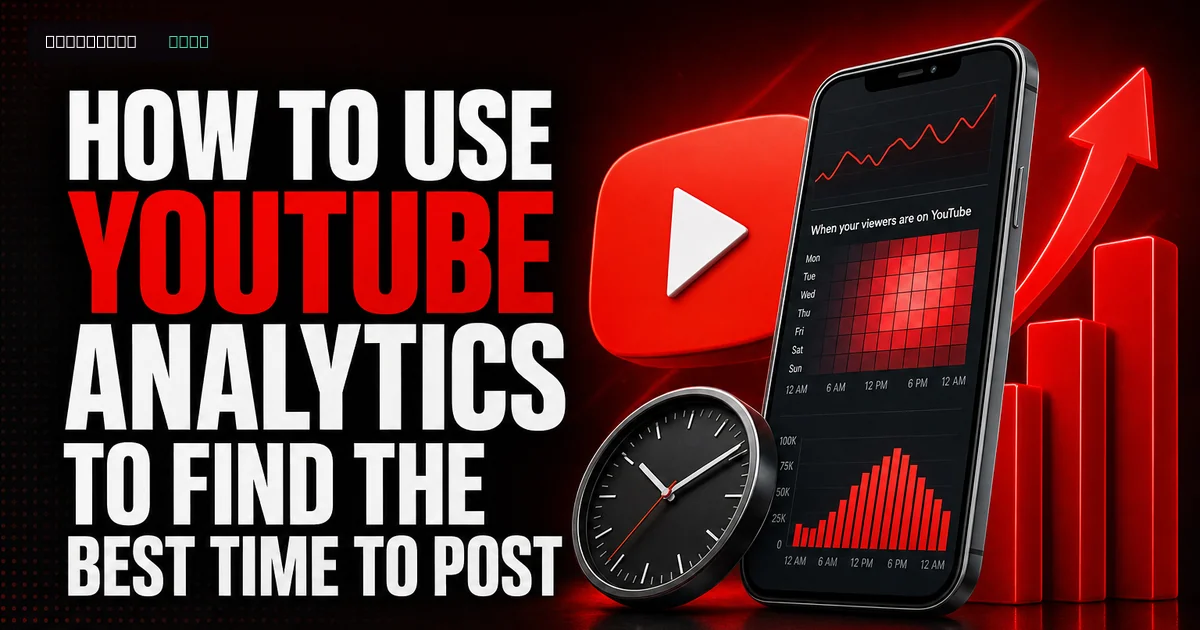
Analyze Your Performance with YouTube Analytics: This is where you measure what's working and what's not. Pay close attention to:
By regularly reviewing these metrics, you can refine your YouTube SEO strategy, improve your content, and make data-driven decisions for future videos. Remember to also keep an eye on new features like YouTube Handles, which can help with channel identity and discoverability. And if you're exploring new content types, consider how optimizing for YouTube Shorts monetization might affect your strategy.
If you want to grow faster, you can buy youtube subscribers from a real, active-account service and build momentum while you keep posting.
- Watch Time & Audience Retention: Where are viewers dropping off? This can inform your editing and content structure.
- Click-Through Rate (CTR): Which titles and thumbnails are performing best? This guides your optimization for future uploads.
- Traffic Sources: Where are viewers finding your videos? This tells you if your SEO efforts are paying off or if you need to diversify your promotion.
- Keywords: What search terms are bringing viewers to your videos? Use these to refine existing videos and plan new ones.
- Demographics: Who is watching your videos? This helps you tailor content to your target audience.